From sign-up to a signed record, step by step.
What you do on day one, what happens every day, what you sign every week, and what you hand over when somebody asks. Every picture on this page is the real Roadworthy platform, running a sample operator.
Set up once.
An afternoon for most operators: the licence, the fleet, the drivers and the cab cards. After that the system keeps itself up to date.
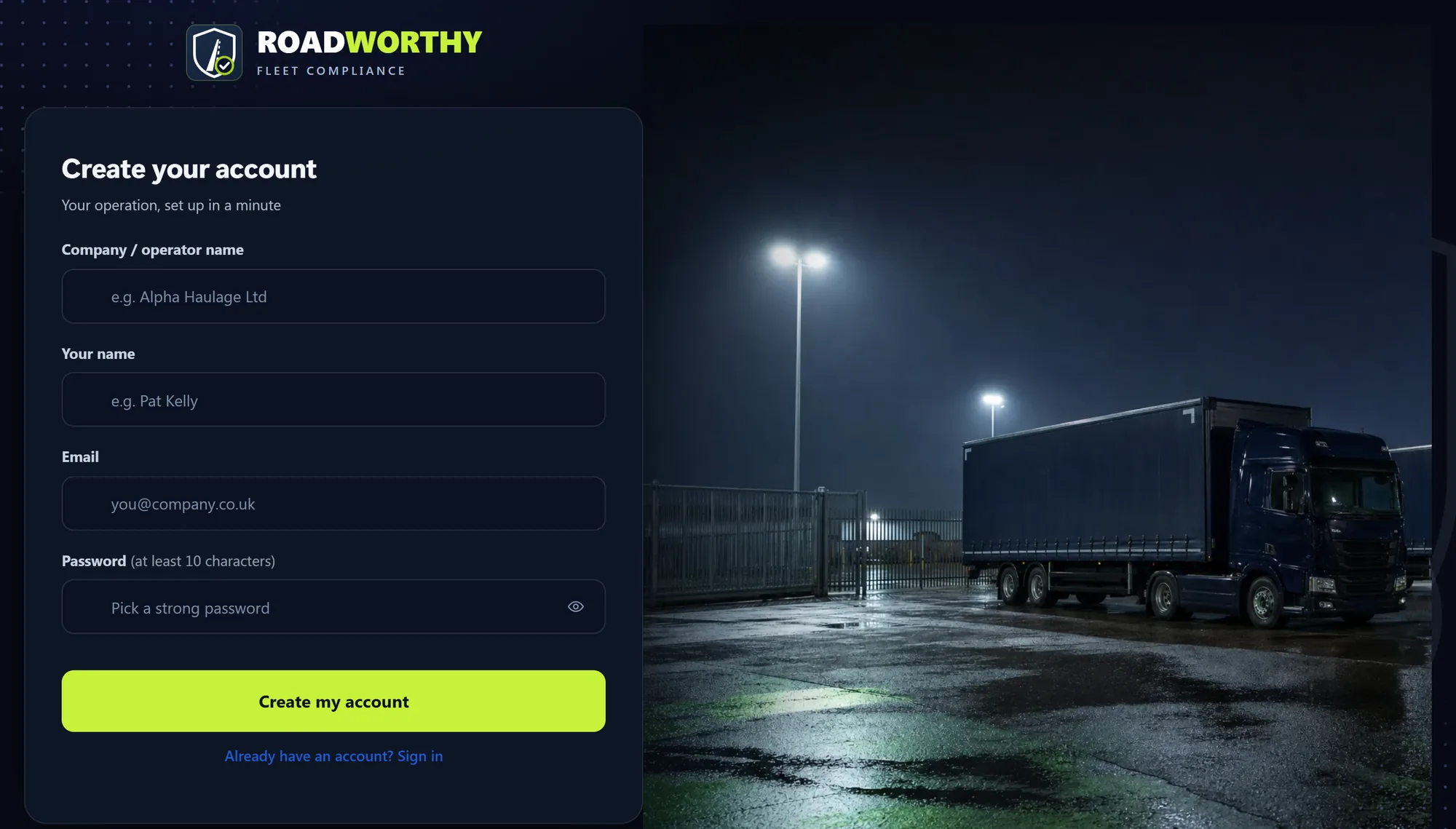
Create your account
Put in your company or operator name, your name, your work email and a password. That creates your operator’s own space, sealed from every other operator, with you as its manager.
- Four fields, then you are in
- Add colleagues later, each with their own login and role
- Running several operators? A consultant login switches between them
Add your licence and documents
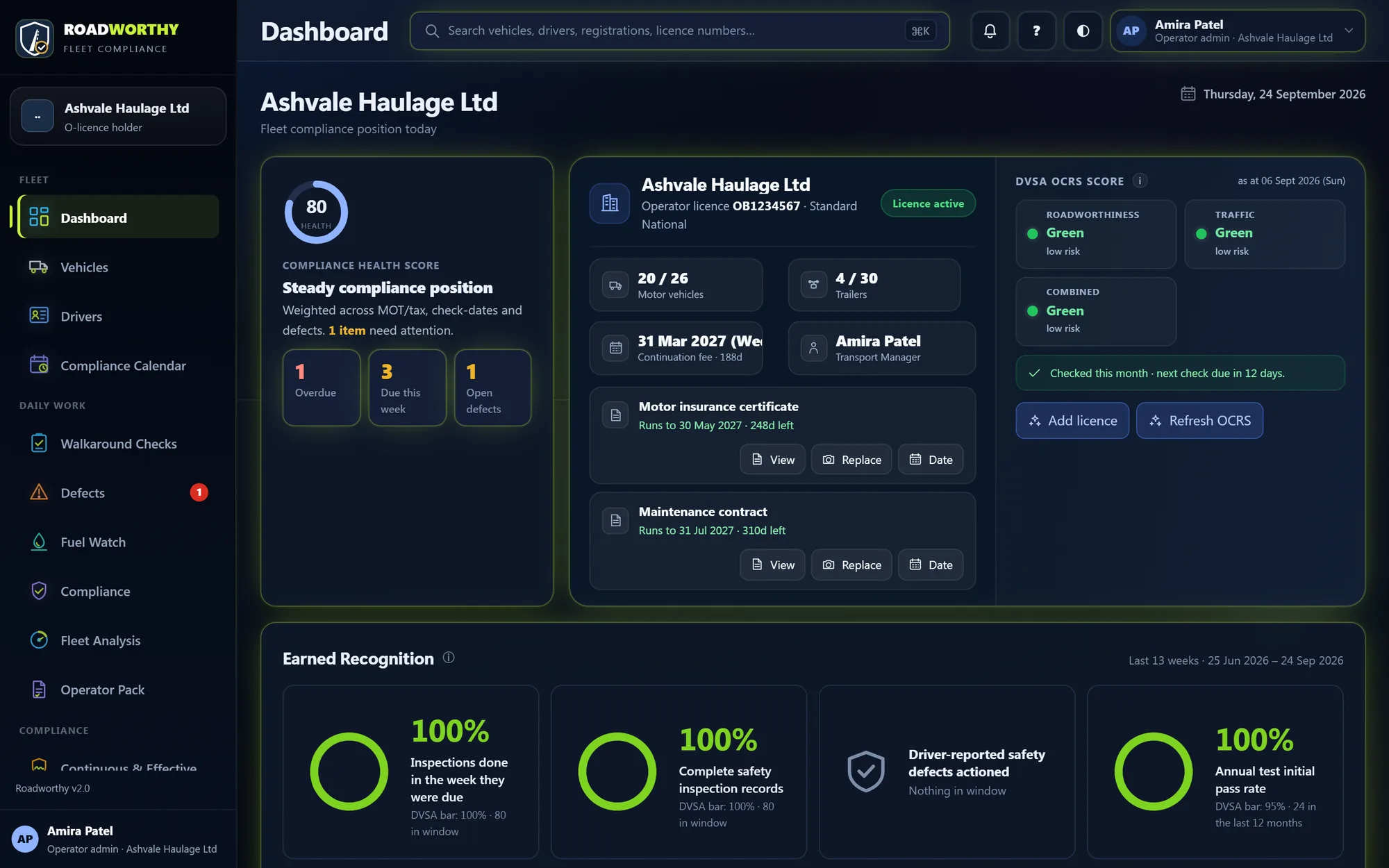
Record the operator licence: number, type, authorised vehicles and trailers, and the transport manager. Upload the insurance certificate and the maintenance contract, and your DVSA OCRS report if you have one. The dashboard keeps every expiry and renewal date in view.
- Continuation date worked out from the in-force date
- Insurance and maintenance contract with their renewal dates
- OCRS bands read off the report you upload
Add your vehicles
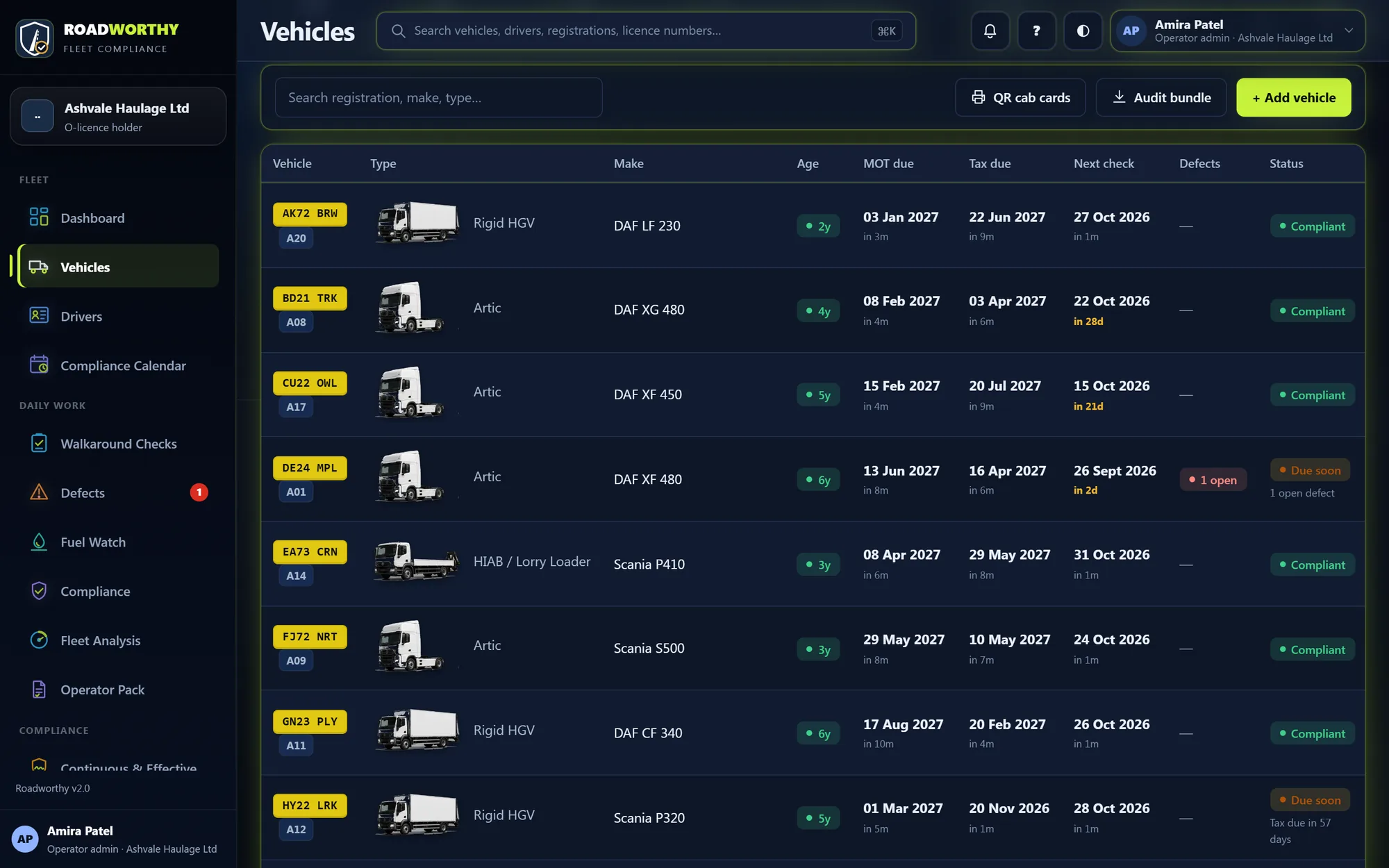
Add each vehicle and trailer with its registration and type. MOT history comes from DVSA and vehicle tax from DVLA, checked for you, so the dates stay right without anyone typing them in.
- MOT and tax checked against DVSA and DVLA records
- The next inspection shown against every vehicle
- Open any vehicle for its full record and schedule
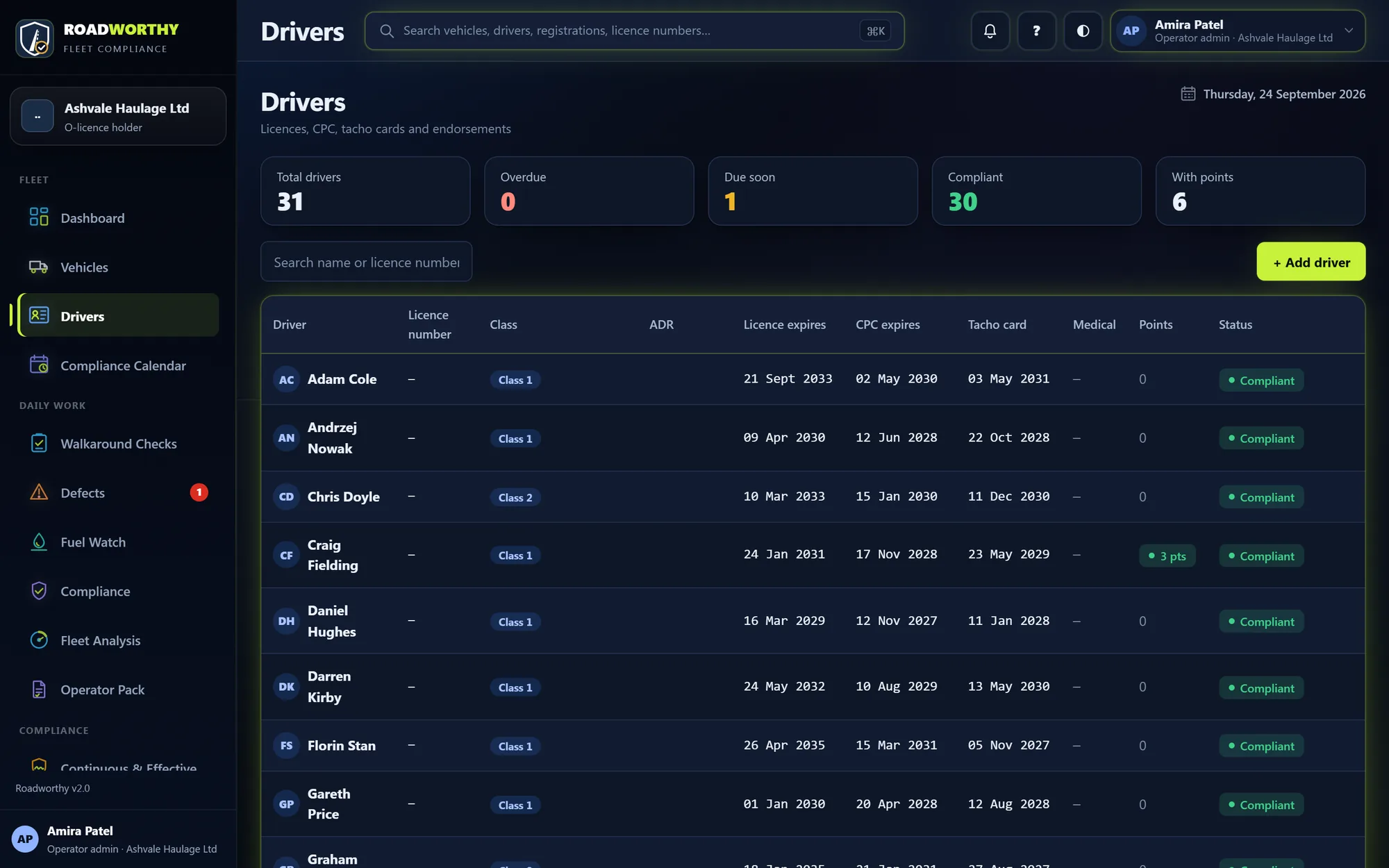
Add your drivers
Add your drivers with their licence, Driver CPC, tachograph card and medical dates. Each driver’s licence check is kept on file, and the 90-day clock warns you before the next one is due.
- Licence checks by DVLA share code, kept as evidence
- CPC, tacho card and licence expiries emailed at 90, 60 and 30 days
- Drivers can have a PIN to see their own records
Print the QR cab cards
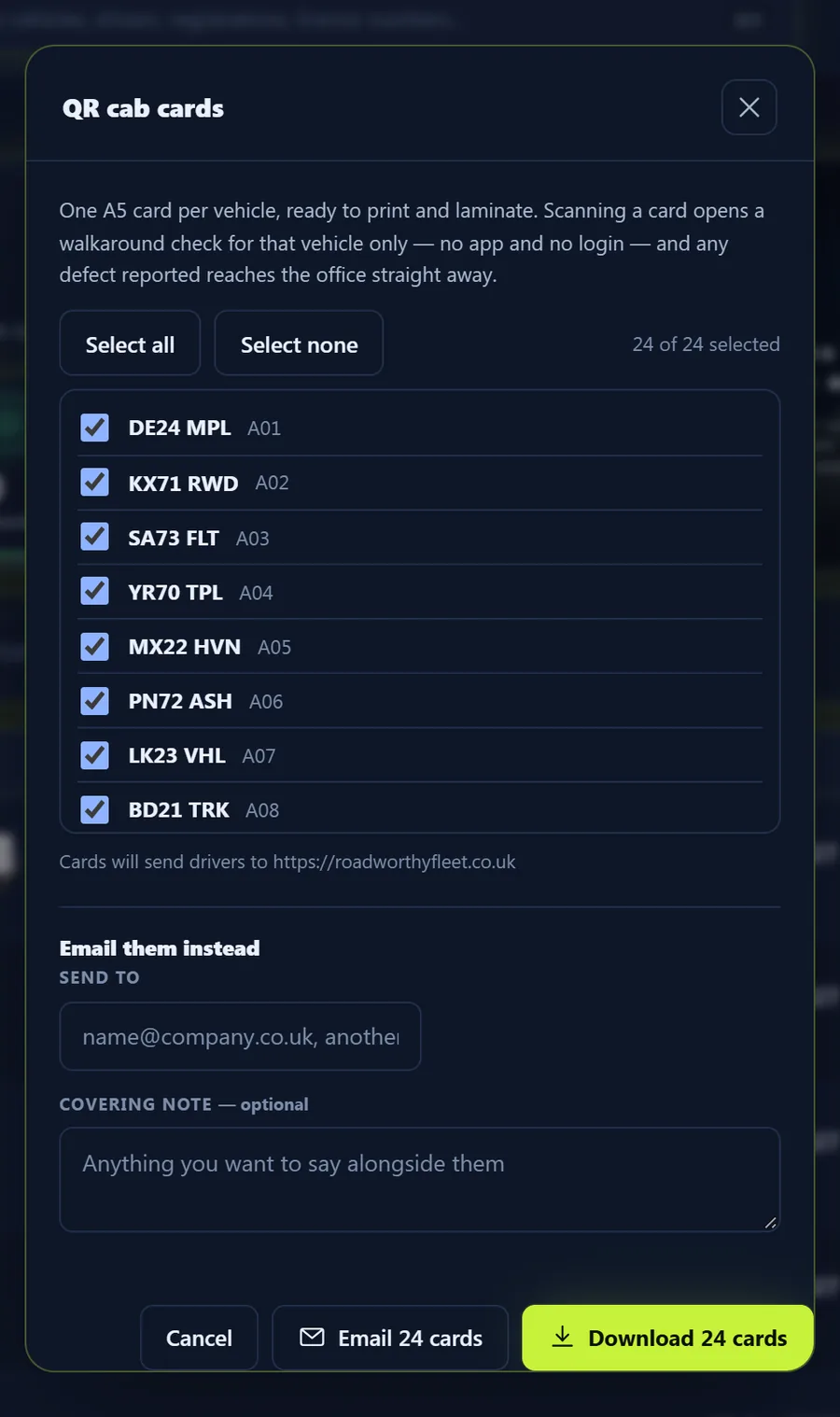
Choose the vehicles and download the cards: one A5 card per vehicle, ready to print and laminate. Put one in every cab. That is the driver’s whole set-up: no app to install and no login to remember.
- Scanning a card opens that vehicle’s check
- Agency drivers can check on their first day
- Email the cards to the yard instead of printing them
Plan inspections and invite your garage
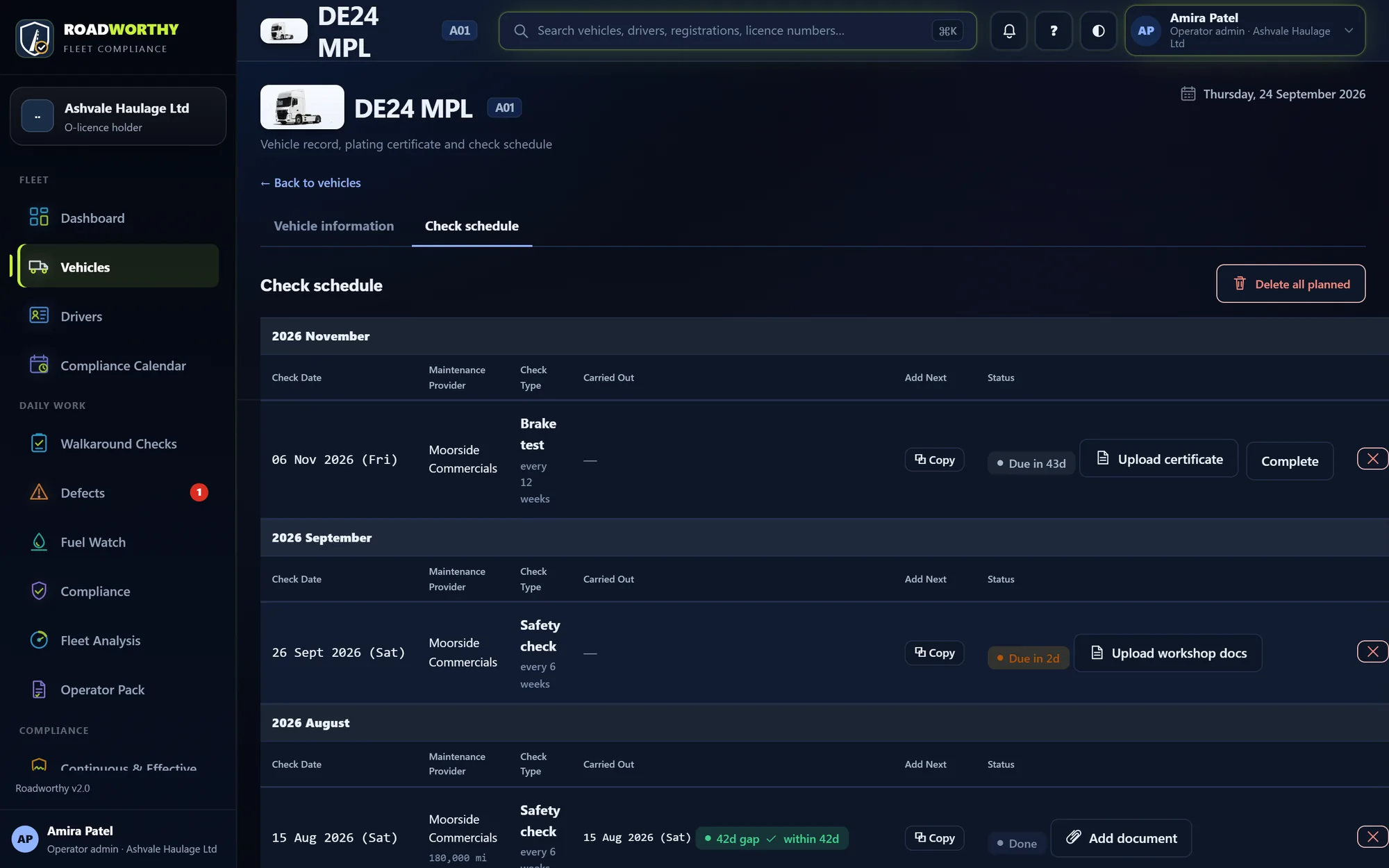
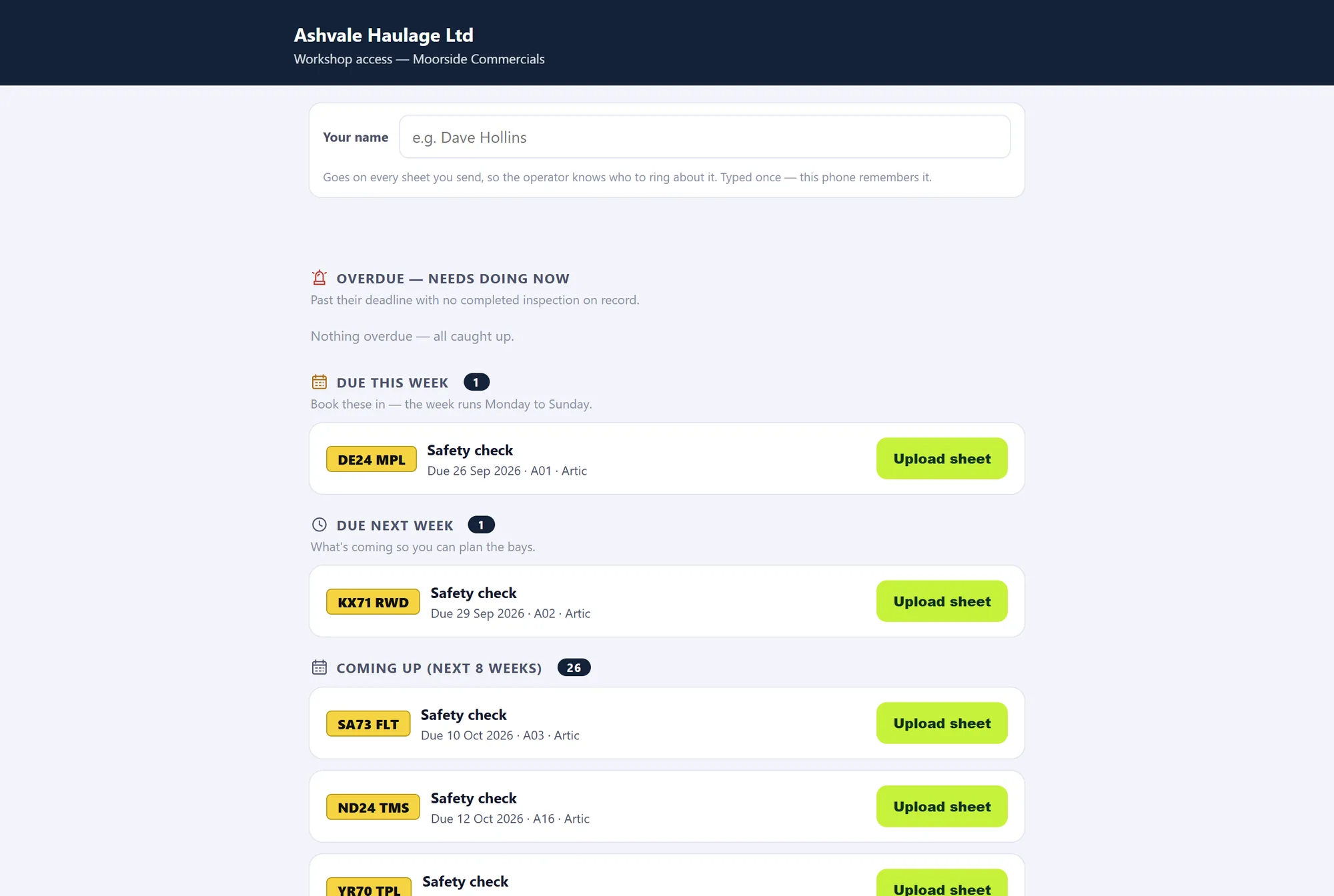
Set each vehicle’s inspection interval and the dates fill themselves in: safety inspections, brake tests, calibration, LOLER and MOT. Then send your garage its own link. They see what is due and upload the inspection sheets against the right vehicle, without a login.
- Reminders at 28, 14, 7 and 3 days, then daily if overdue
- File an inspection and the plan moves on by itself
- The garage’s uploads are logged; signing off stays with you
Then, every day.
The drivers do the checks; the office deals with anything that comes in. Most days that is a few minutes.
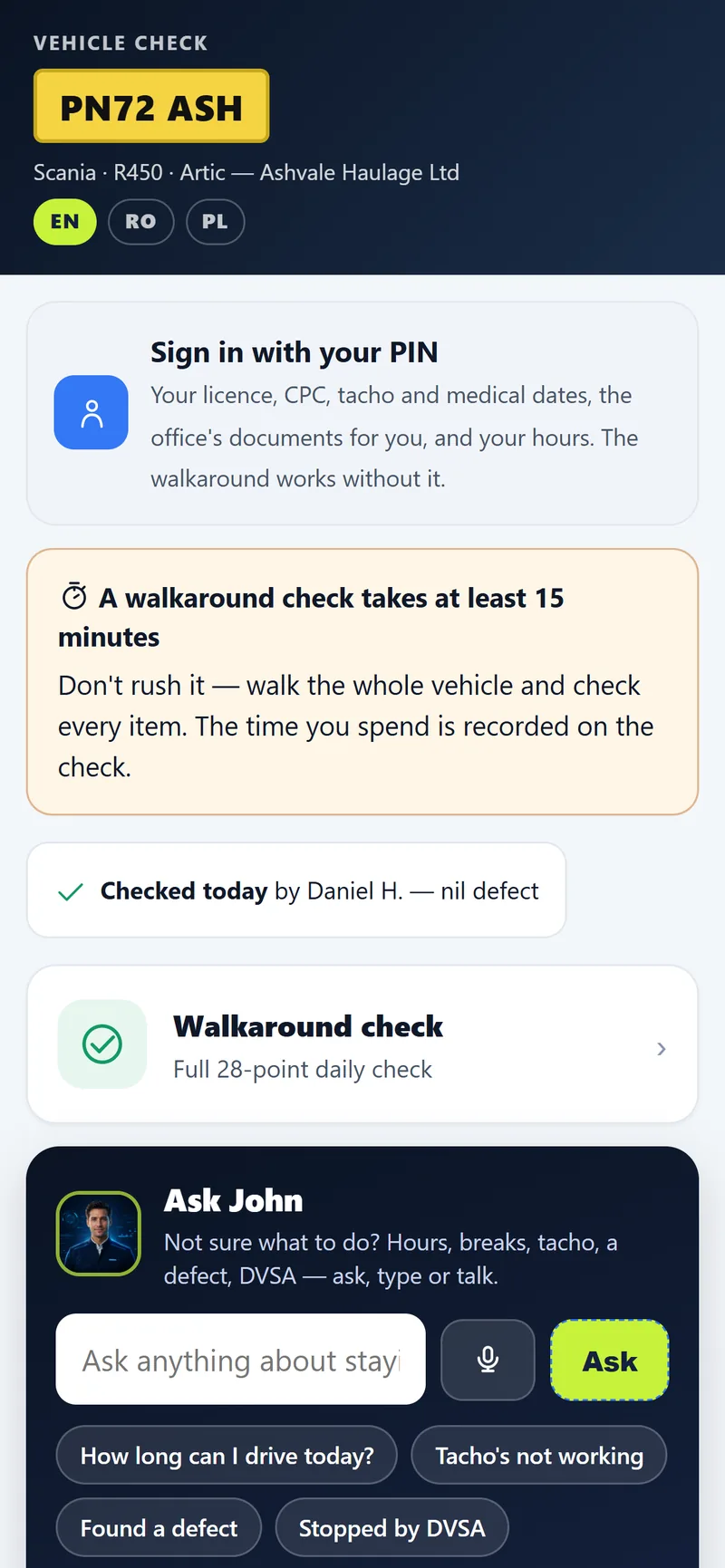
Drivers do the walkaround check
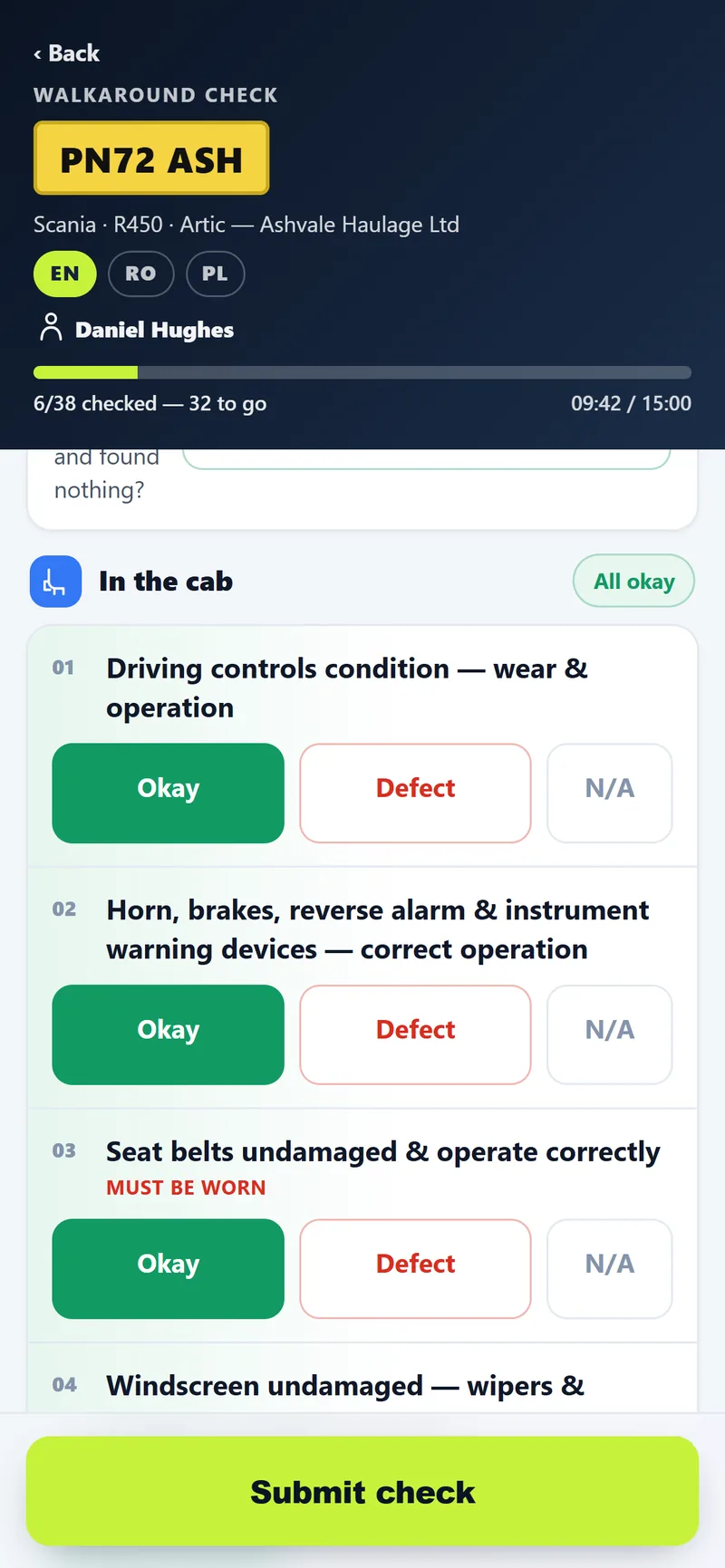
The driver scans the card in the cab and the vehicle’s check opens on their own phone, in English, Romanian or Polish. They work round the vehicle marking each item okay, defect or N/A, and sign at the end. The check is timed, and located where the phone allows.
- Every item on the list, grouped the way you walk round a lorry
- Progress saved on the phone as the driver goes
- A clear reminder that a proper check takes at least 15 minutes
Deal with a defect, start to sign-off
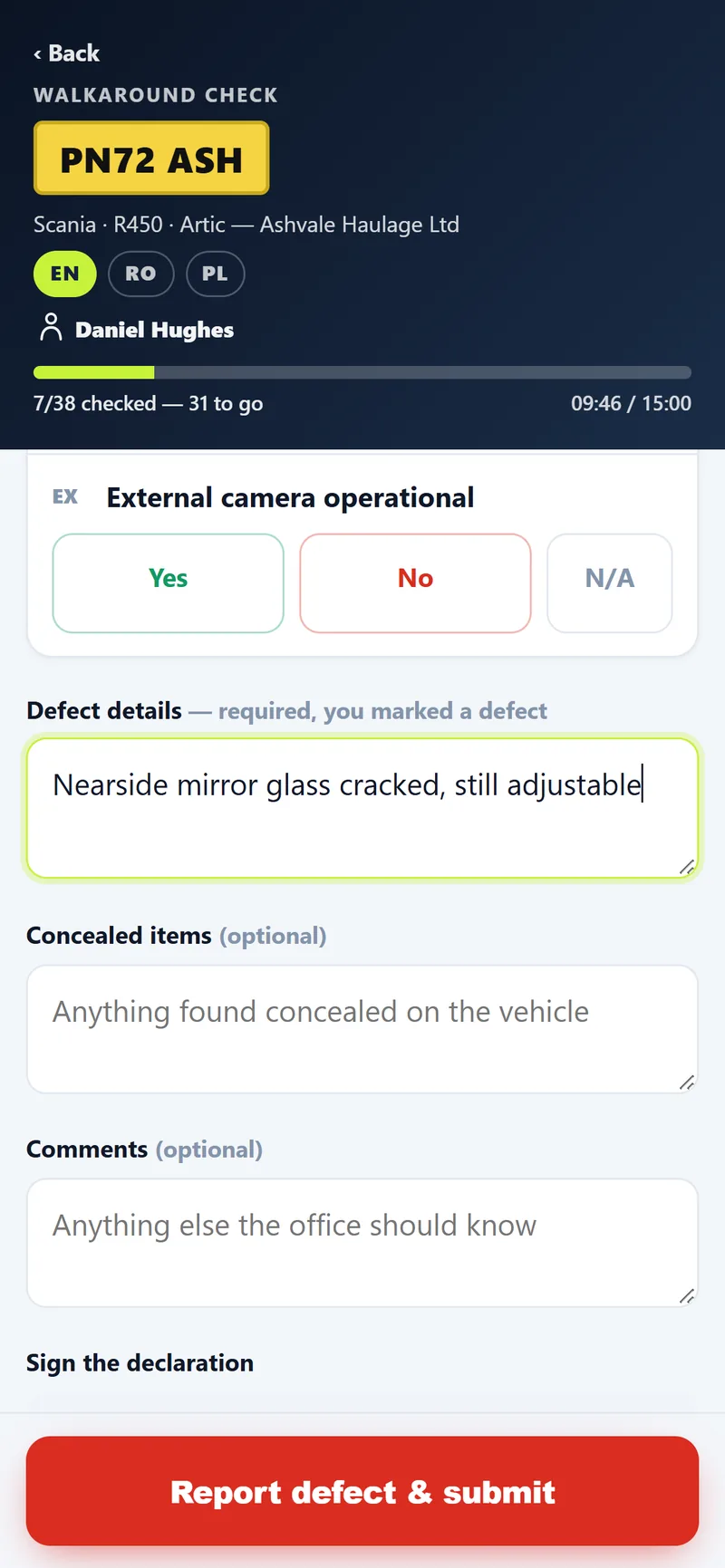
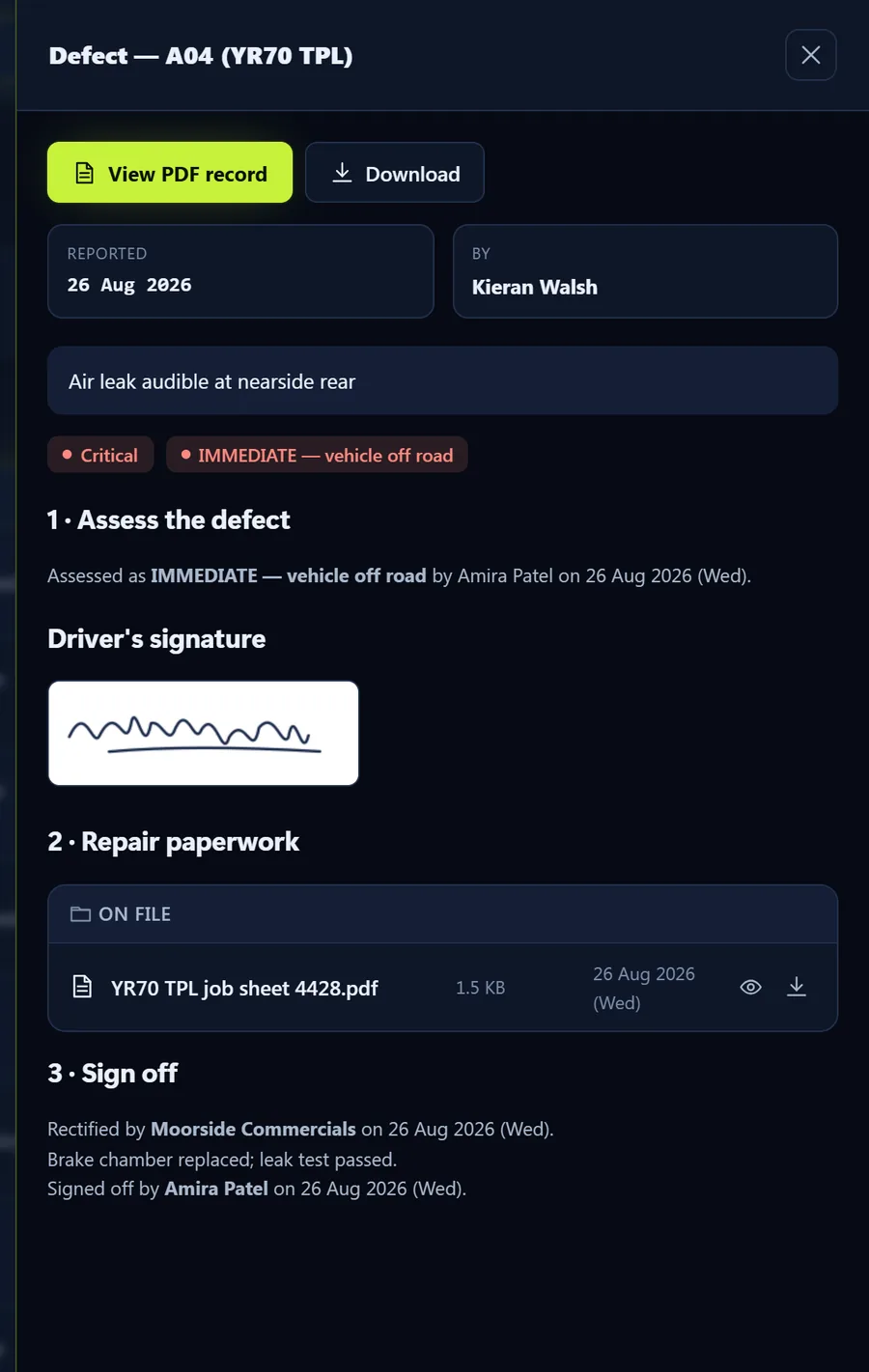
If the driver marks a defect, they describe it and add photos, and it reaches the office straight away. You assess it (safe to continue, or off the road), the repair paperwork goes on file, and you sign it off. Sign-off is refused until the evidence is there.
- Graded against DVSA’s categorisation of defects
- Who reported, assessed, repaired and signed off, with dates
- The job sheet kept with the defect for good
Keep an eye on the checks and the calendar
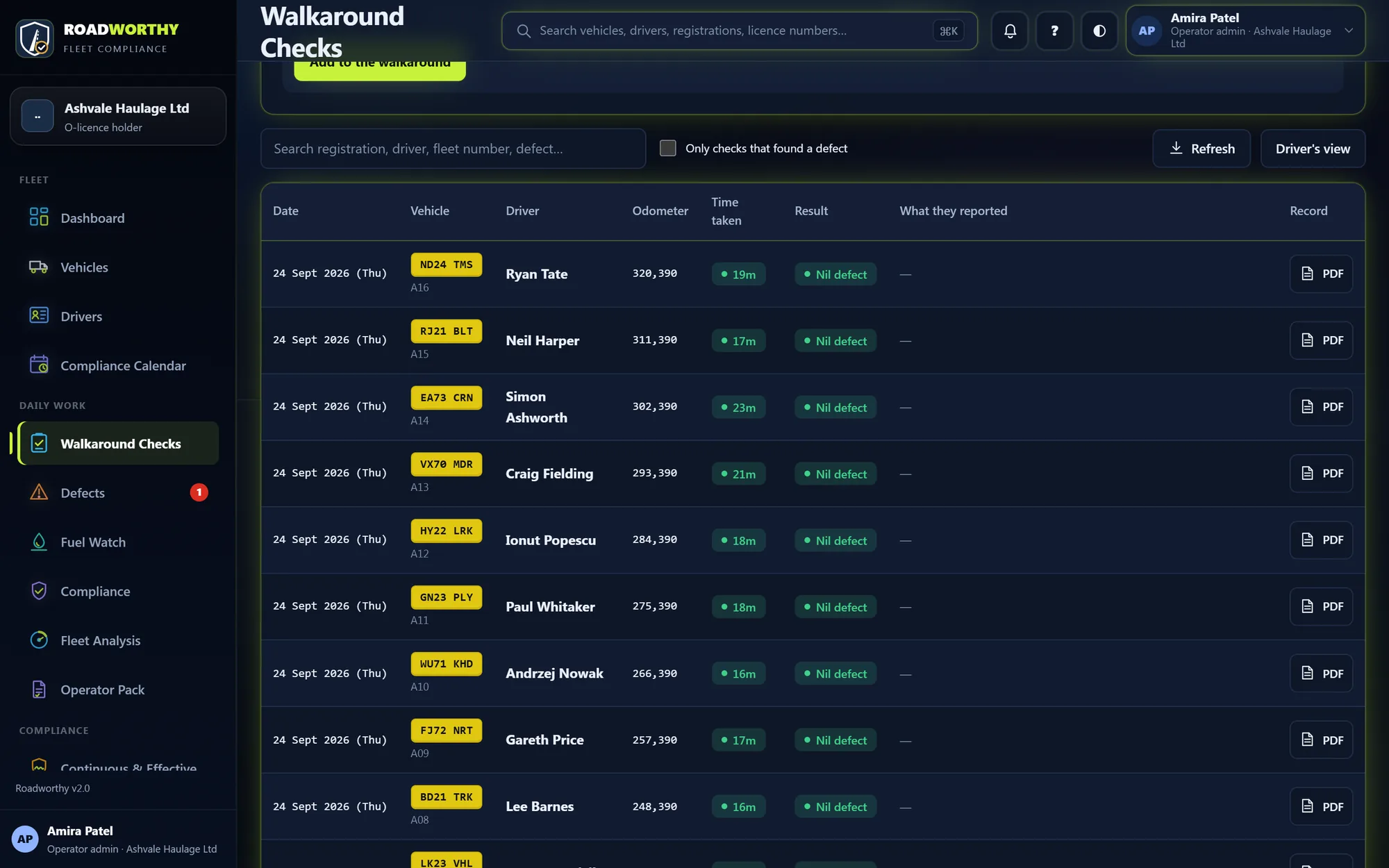
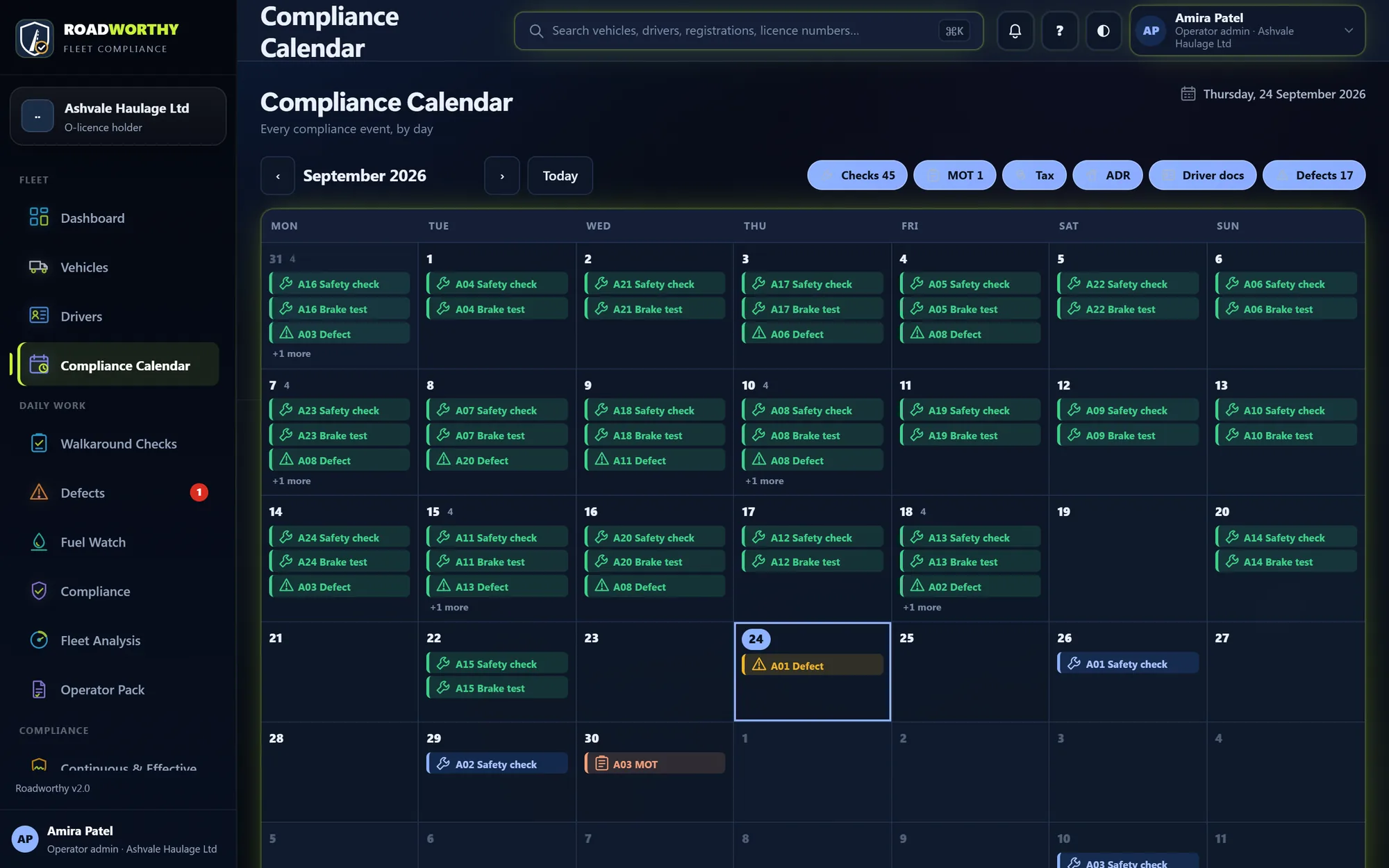
Every walkaround is listed with who did it, how long it took and what it found. Roadworthy scores walkaround quality too: checks that are too quick, never find anything or are ticked the same way every time are flagged for you to look at. The calendar shows every date coming up.
- A proof-of-check PDF for any walkaround
- Walkaround quality scored per driver
- Filter the calendar to checks, MOT, tax, ADR, driver documents or defects
Every week, sign for it.
The jobs that turn a week’s work into evidence: briefing the drivers, checking their hours, and the transport manager’s signed record.
Brief your drivers
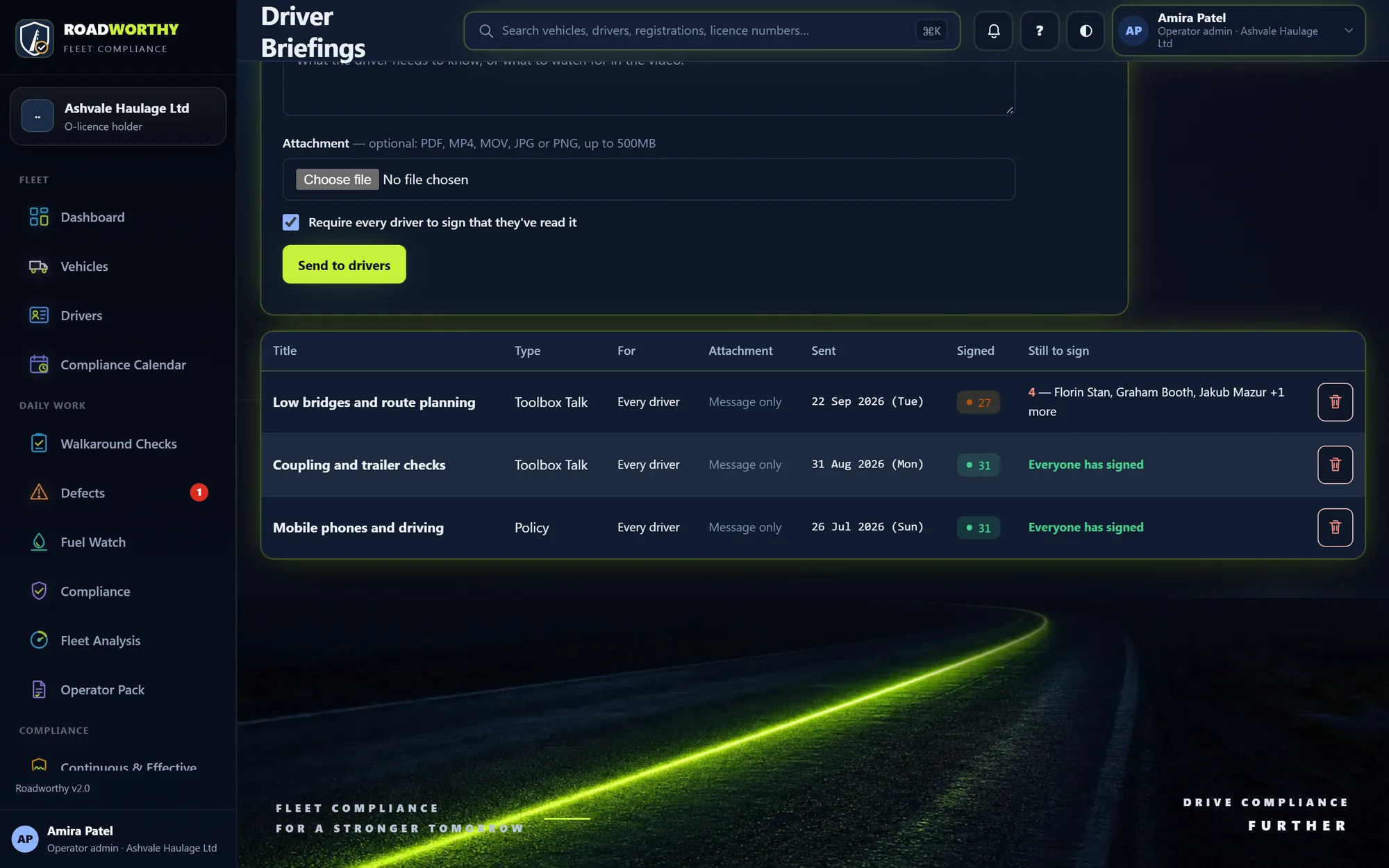
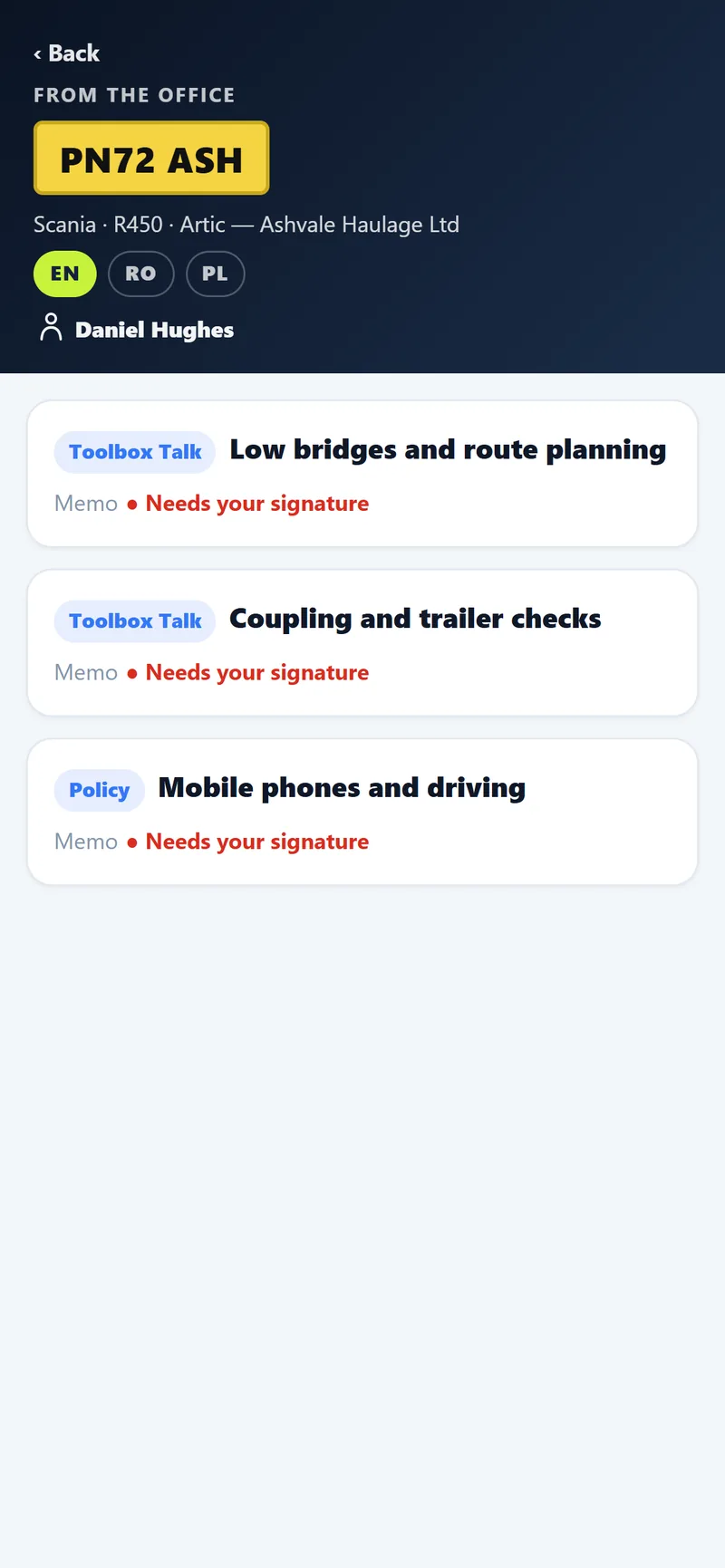
Write a toolbox talk or memo, attach a PDF or a video if you like, and send it. It appears for the driver the next time they scan a cab card, and they sign on the phone to confirm they have read it. You see who has signed and who hasn’t.
- Toolbox talks, memos, policies and instruction videos
- The driver signs to say they read and understood it
- Evidence of how you brief your drivers
Check drivers’ hours (Fleet Analysis add-on)
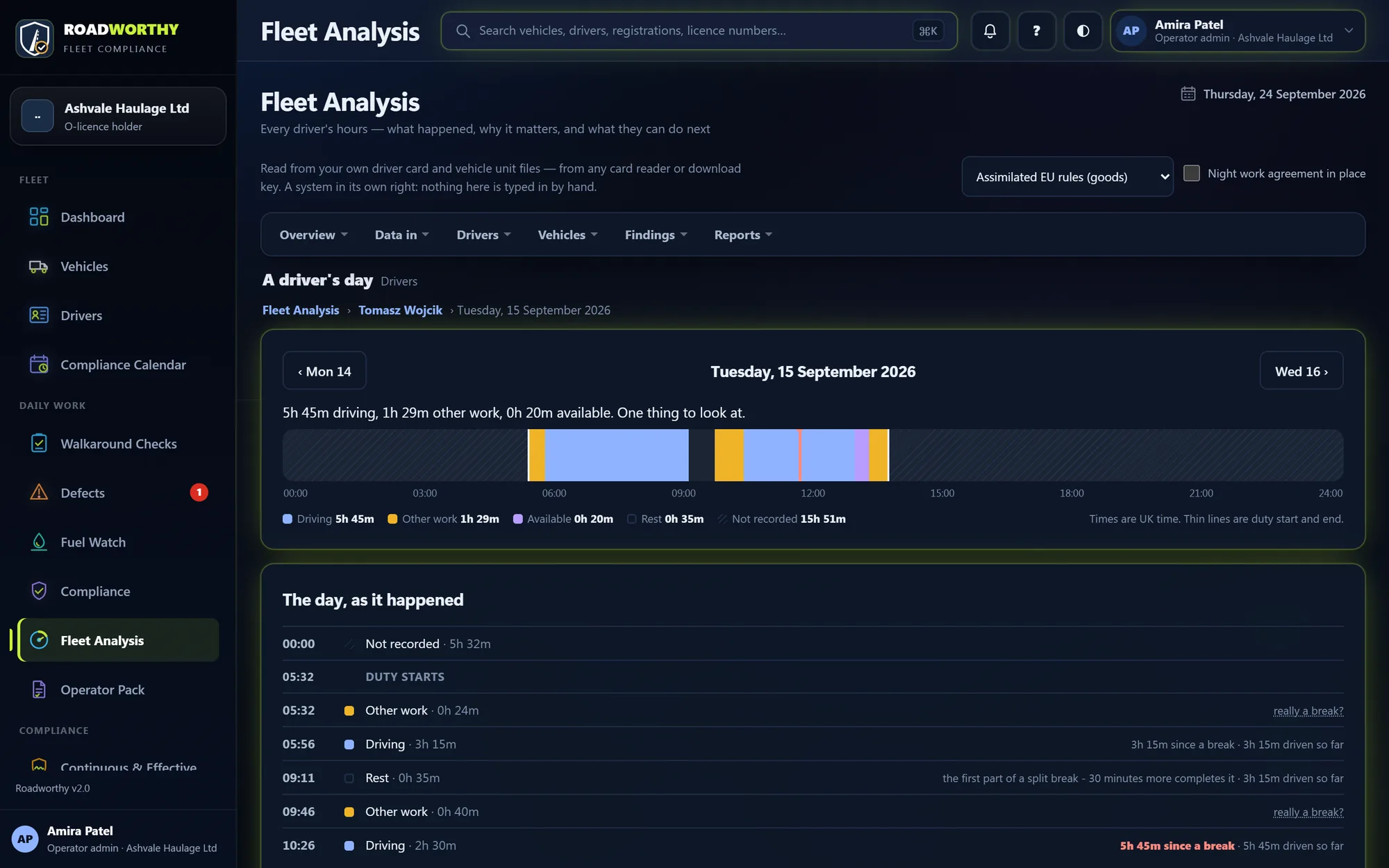
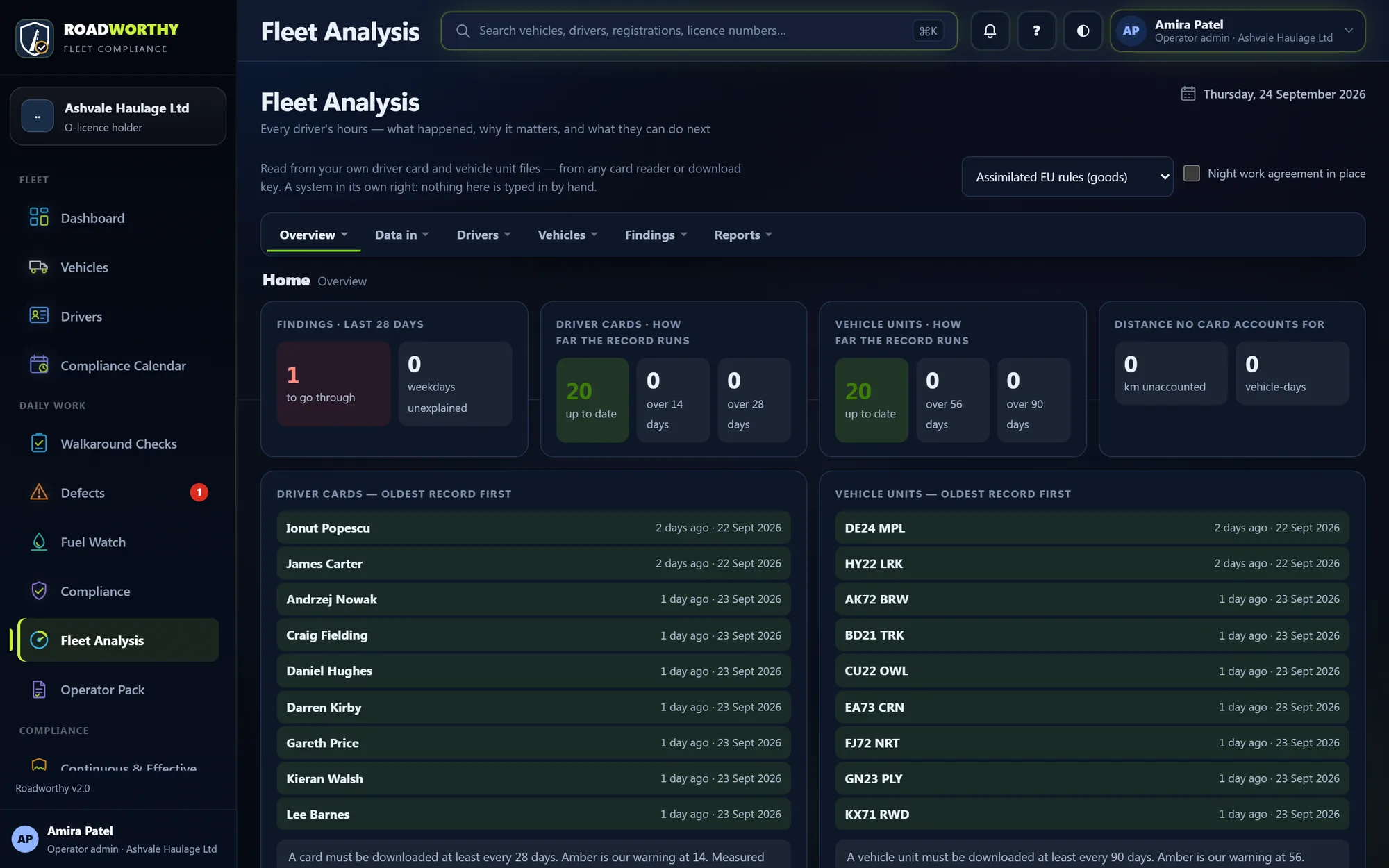
Upload the week’s driver card and vehicle unit files from your card reader. Fleet Analysis finds any infringement and explains it: what was required, what happened, and by how much. It also shows what each driver can still lawfully do. Findings go to the driver’s phone to read and sign.
- Card downloads tracked against 28 days, units against 90
- Assimilated EU or GB domestic rules, plus working time
- More about Fleet Analysis
Sign the transport manager’s record
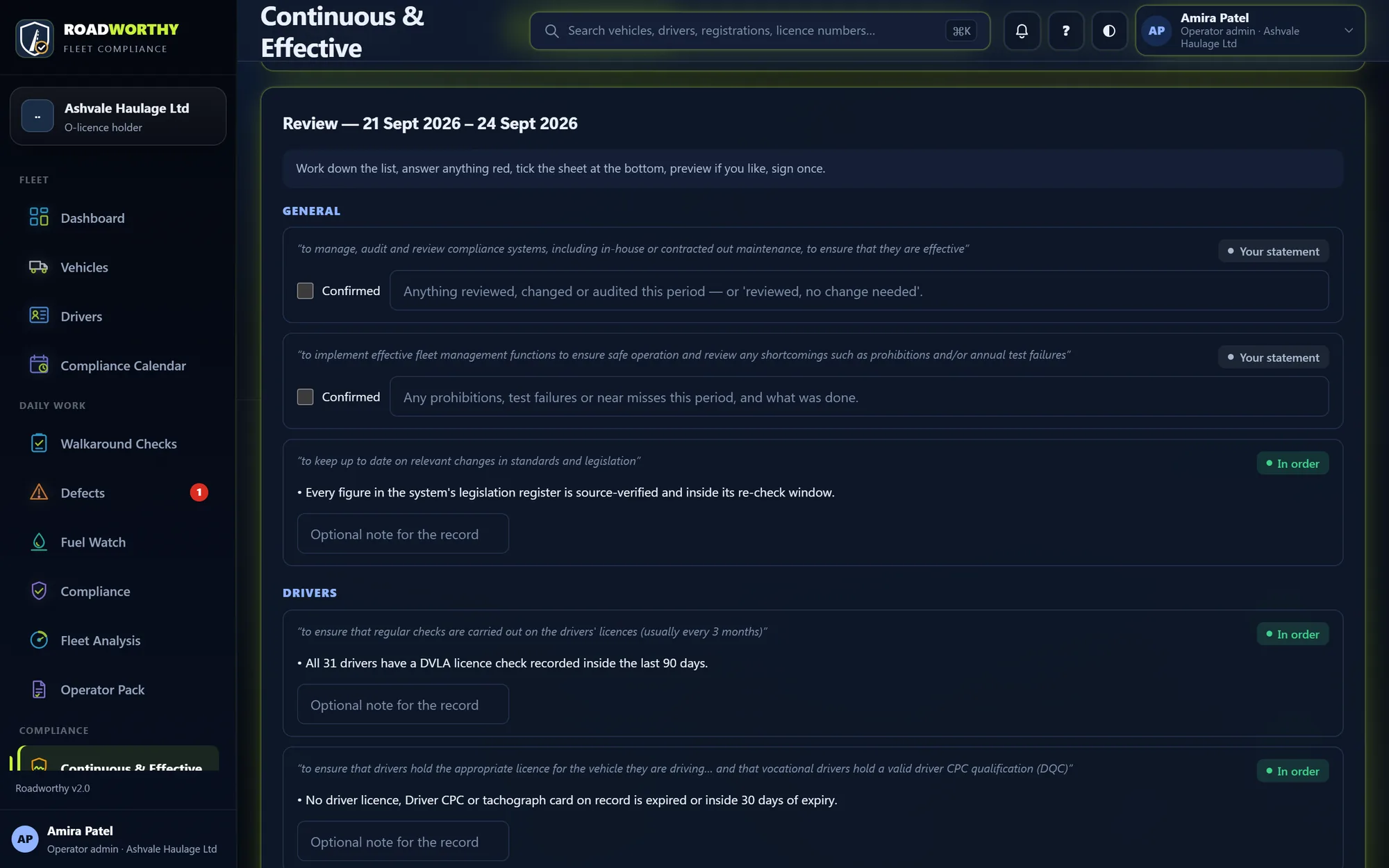
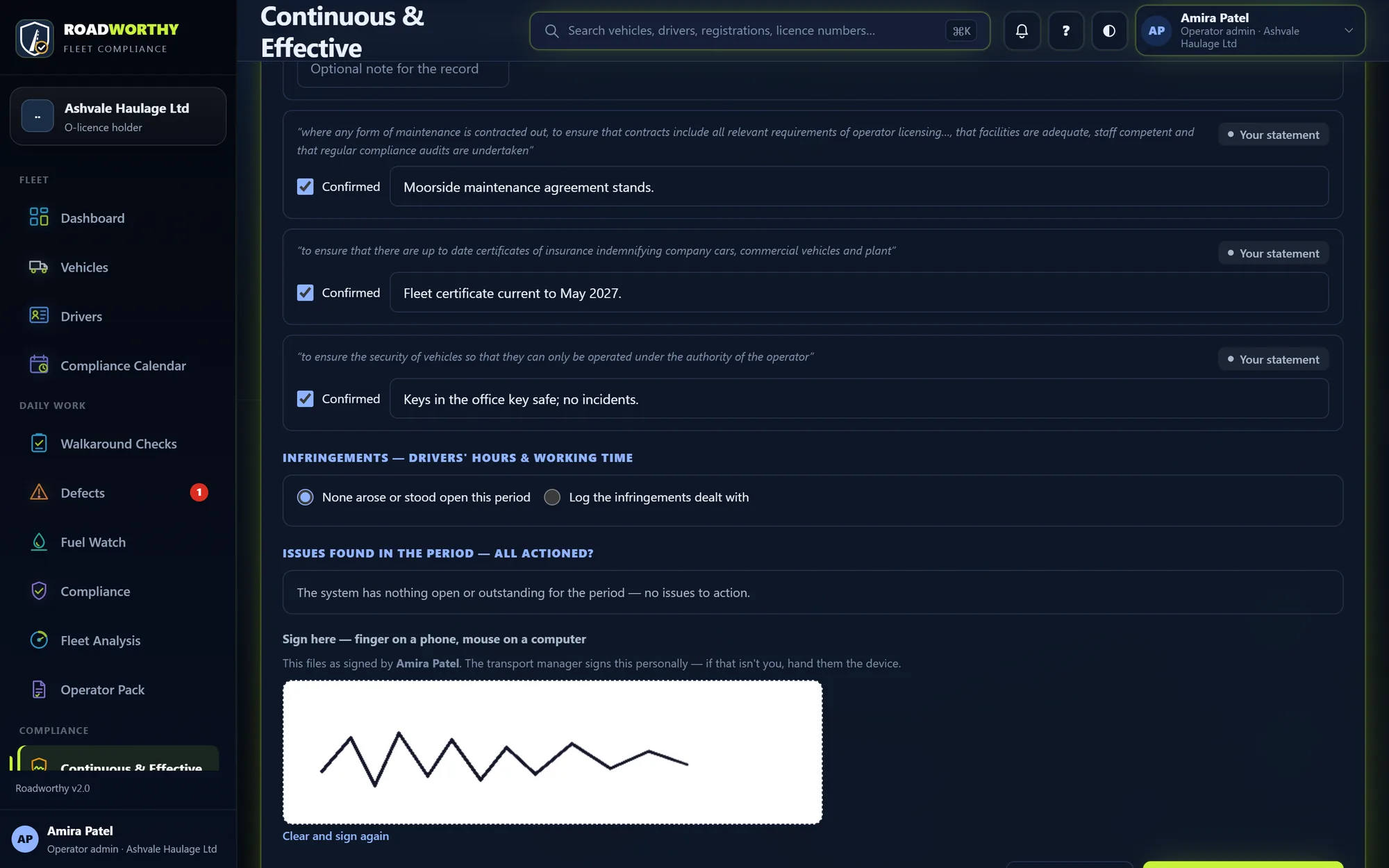
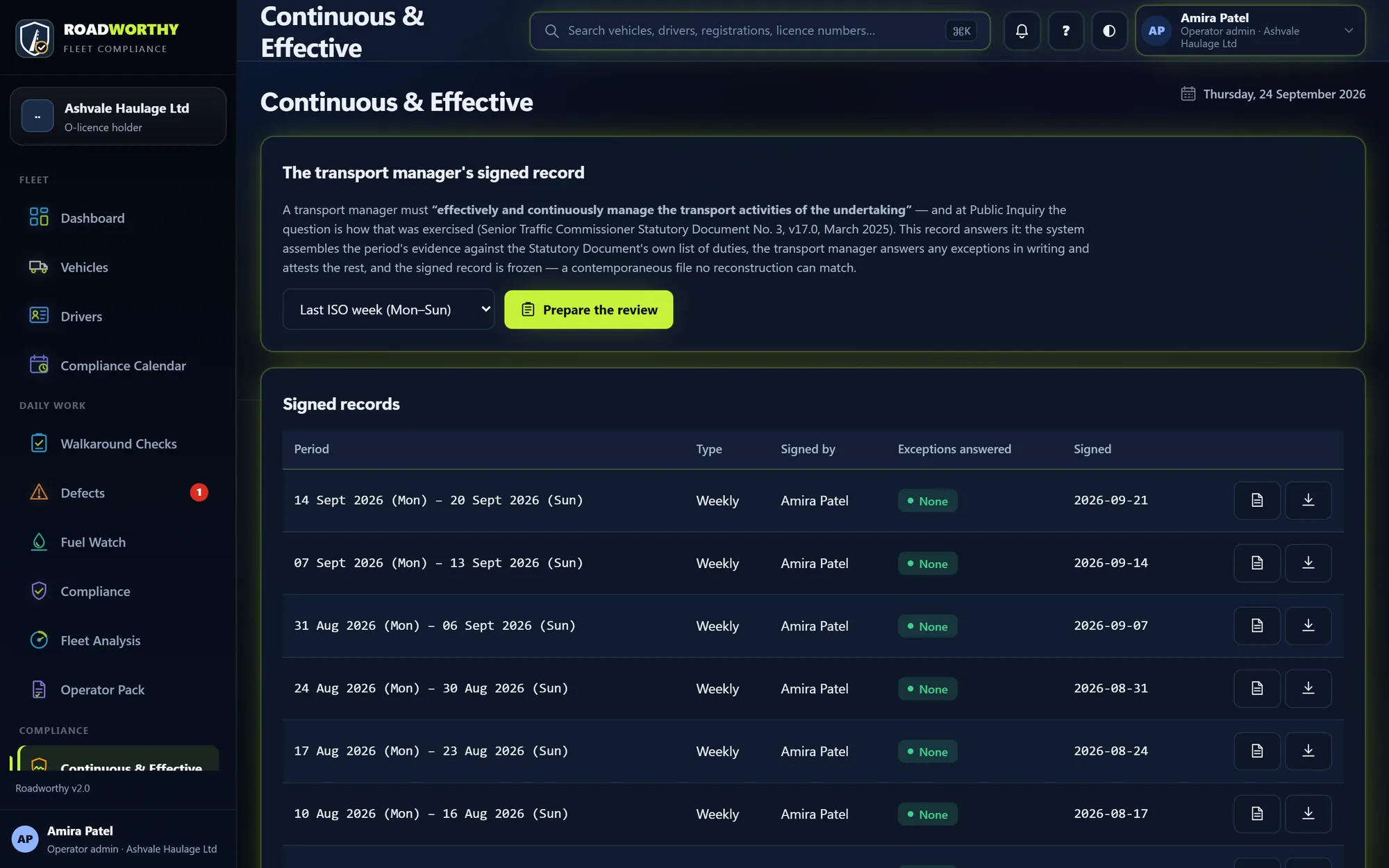
Choose the week and press Prepare the review. Roadworthy lays the week’s evidence against each of the transport manager’s duties in Statutory Document No. 3. Anything short of the standard needs your written answer; the rest you confirm. Sign once, and the record is frozen.
- The duties quoted from the current Statutory Document No. 3
- Weekly by default, or any period, such as between visits
- Once signed, nothing in the record can change
When somebody asks, it is already done.
A Public Inquiry call-up, a DVSA investigation or a customer audit: the records are there, so the pack takes minutes.
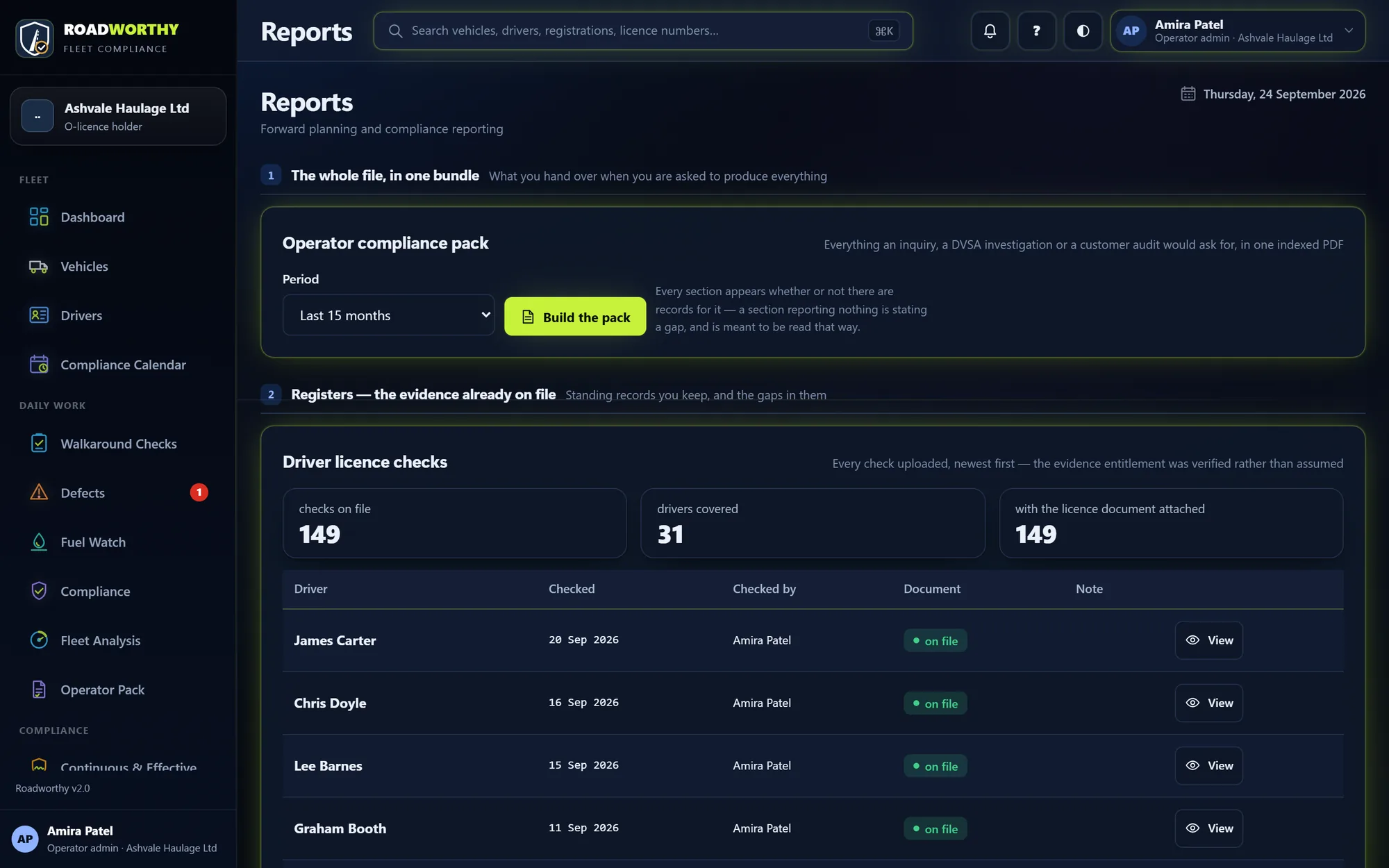
Build the compliance pack
On Reports, choose the period and press Build the pack. You get one indexed PDF: the licence, the fleet, every inspection and brake test, defects, vehicles off road, drivers and licence checks, walkaround checks, and your written systems. Every section appears whether or not there are records, so a gap is stated, not hidden.
- Any period from one month to five years
- The full audit bundle as a zip, with every file and a checksum manifest
- Forward plan, weekly compliance report and workshop chase-up letters