Booking
Customers, their sites and contacts, with windows, pallets, weights and any requirements such as a tail lift or ADR. Import a spreadsheet of customers; repeat a job; book a collection and delivery as one.
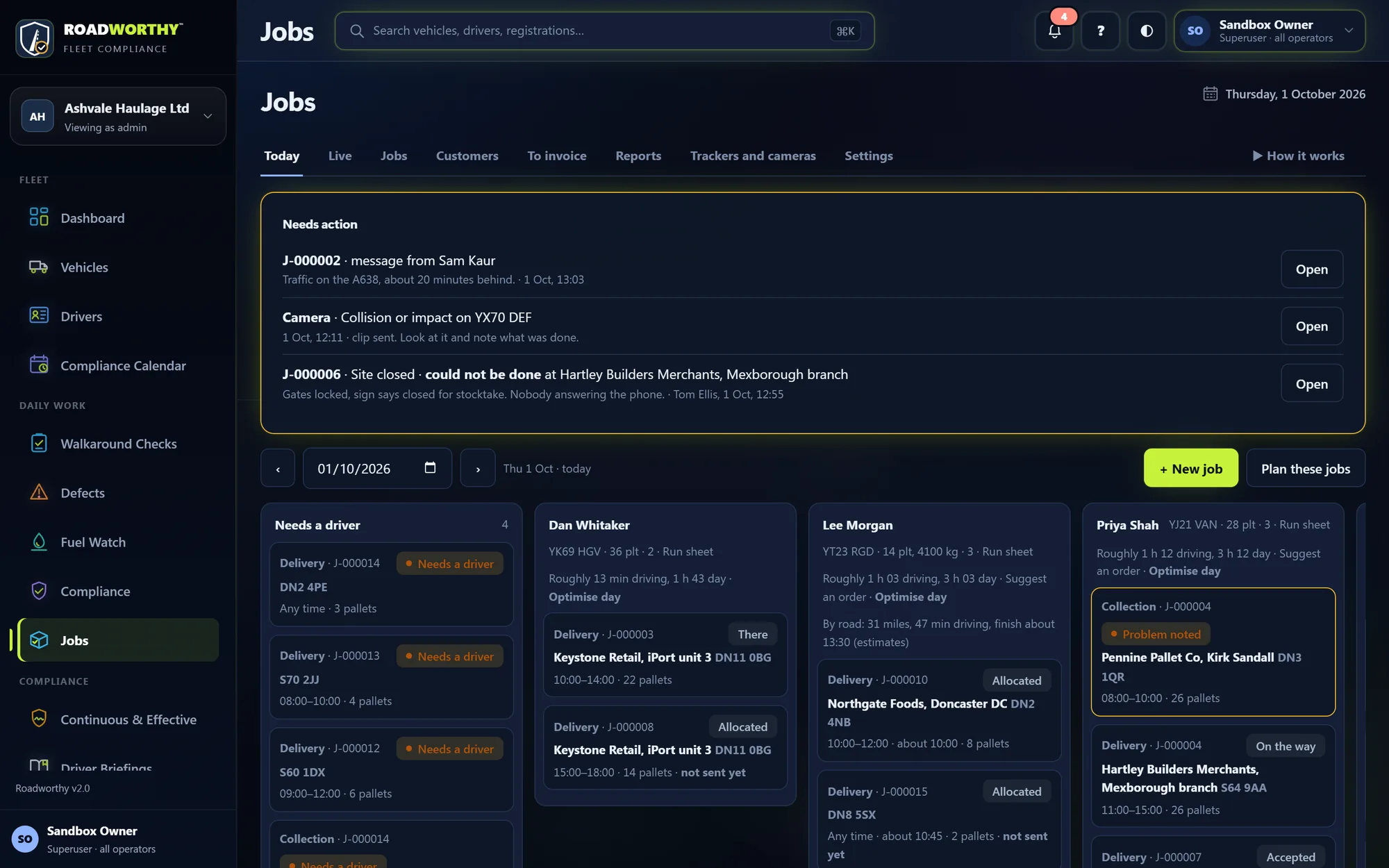
Book a job once and drag it onto a driver. Before it goes, Roadworthy checks the driver and the lorry. The driver works it from the cab card they already use, every drop comes back with proof, and the day is planned by road for that lorry.
Give a job to a driver and Roadworthy reads their licence, CPC and tacho card dates, the vehicle’s MOT, tax and open defects, and whether today’s walkaround has been done. Each check warns you; you choose which ones block.
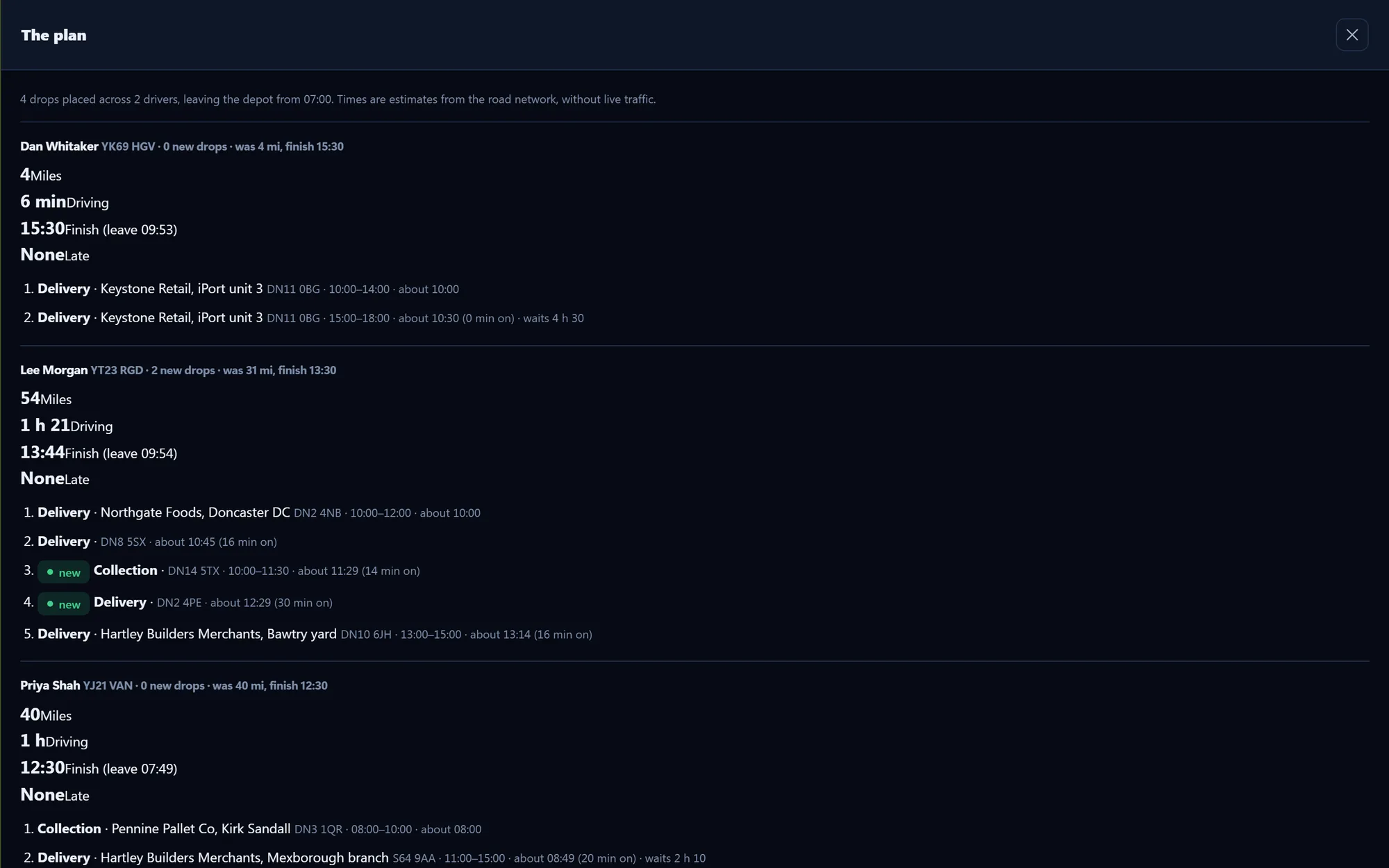
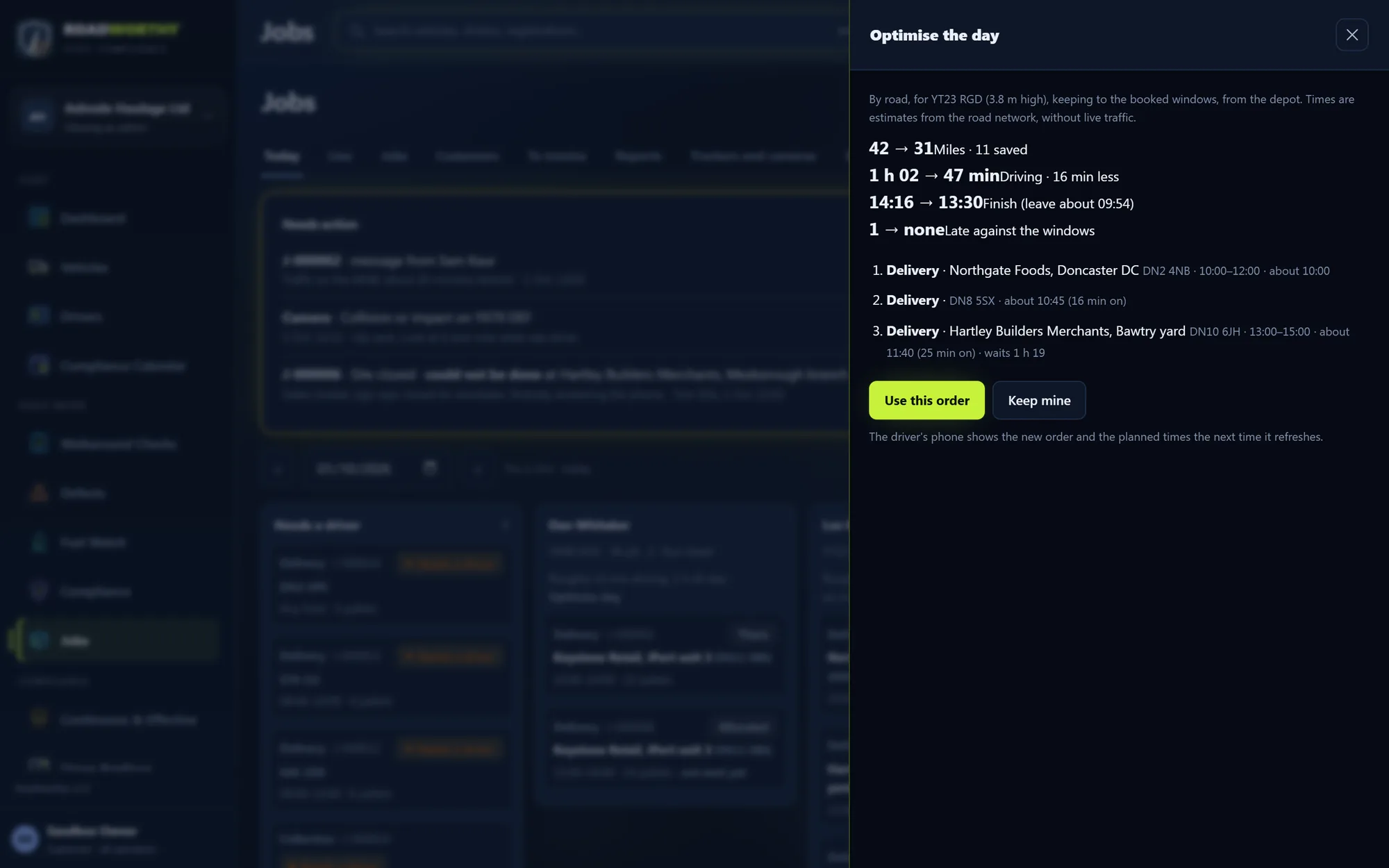
Optimise a driver’s day, or plan the drops nobody has yet across the drivers who are out. The planning runs on road data held on our own server, costed for the lorry’s height, length and weight, so a 4.2 m trailer is not sent under a 3.9 m bridge.
There is no live traffic. Every time shown is an estimate from the road network, and the screens say so. Drivers navigate with their own sat-nav.
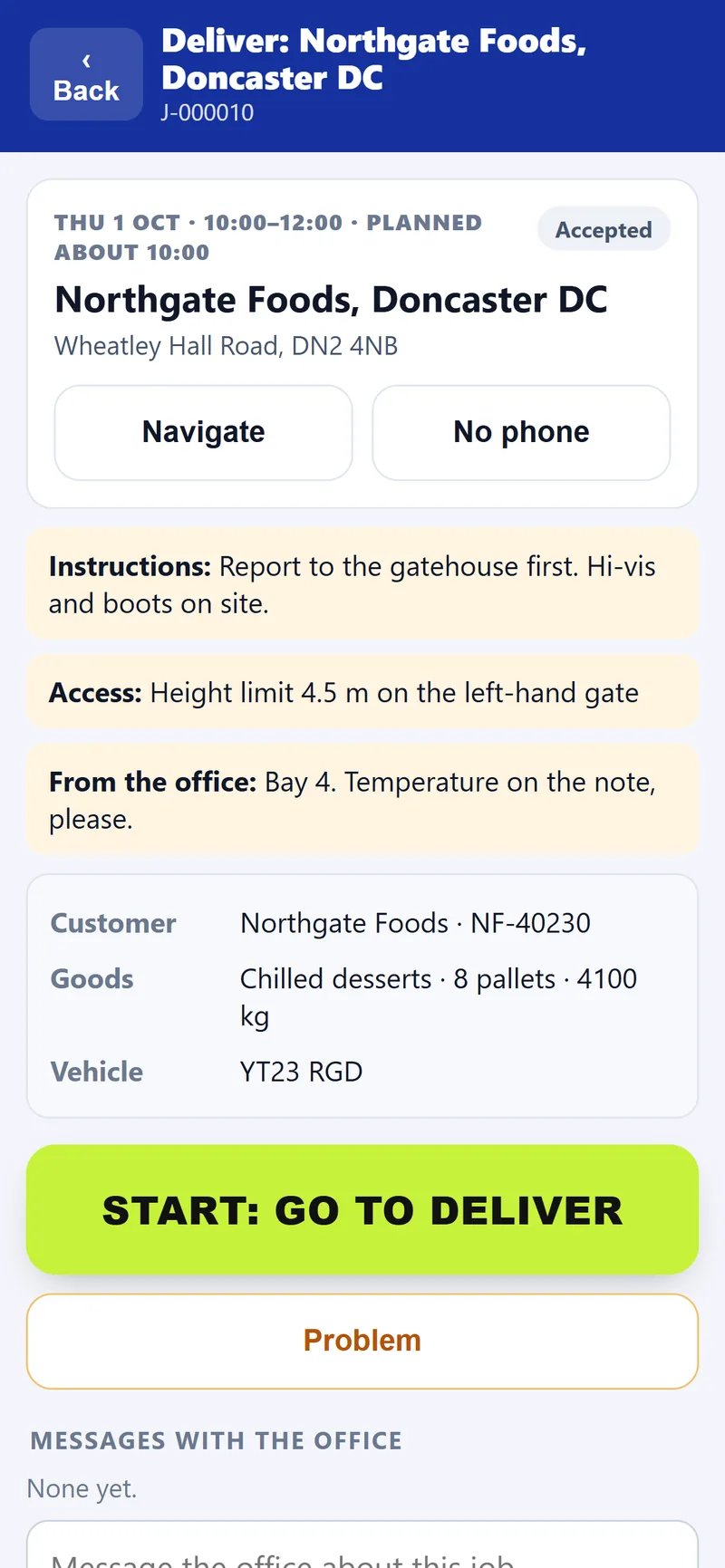
The driver opens My jobs from the cab card. Each drop shows the address, the window, the site’s instructions and the planned time. Start, Arrived and Delivered are one tap each; the proof is a signature and photos, stamped with the time and the place.
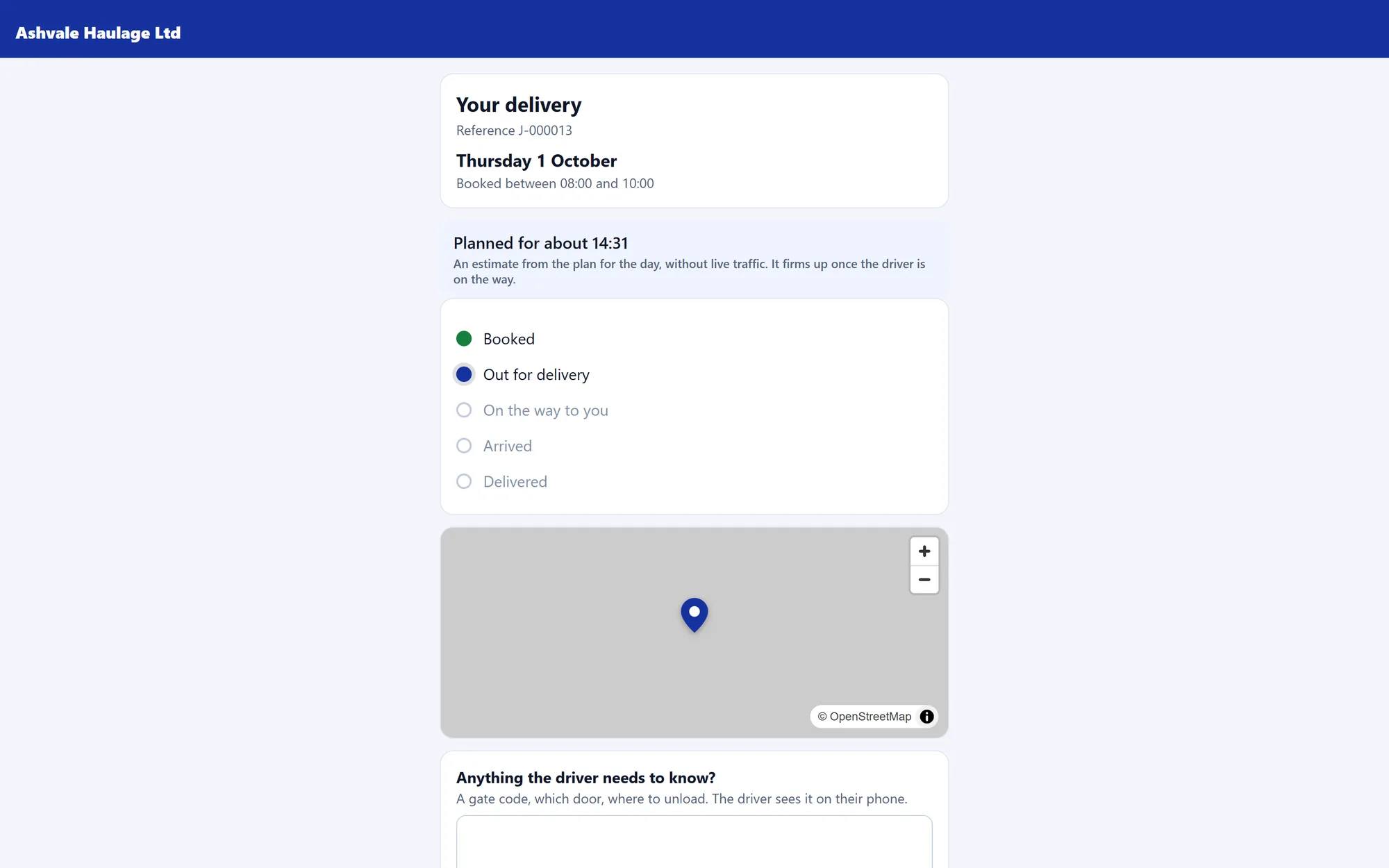
Send the customer a link. It shows the booked window, the planned time before the driver sets off, then the road time for that lorry once they are on their way, and the proof when it is done. They can leave the driver a note: a gate code, which door. The lorry’s position is never shown.
Customers, their sites and contacts, with windows, pallets, weights and any requirements such as a tail lift or ADR. Import a spreadsheet of customers; repeat a job; book a collection and delivery as one.
Drag a job onto a driver. The pre-start checks run as you pick; the day board shows each driver’s drops, load and planned day. Subcontractors get their own link and send proof the same way.
My jobs on the cab card: accept the work, start the shift, run the drops in order with Navigate to their own sat-nav, and a driving mode that shows just the next drop while the lorry is moving.
Proof of delivery with signature, photos, time and place, verifiable by code. Problems reported with photos go straight to Needs action on the office’s day board.
Where every driver on shift was last seen, with the planned road drawn beside the lorry. Trackers and cameras send in or are fetched; camera events are listed for the office to note what was done.
Finished work listed to invoice, with a spreadsheet for your accounts package, run sheets and PODs as PDFs, and reports on how the work went.
Jobs plans and proves; it does not drive the lorry.
Maps © OpenStreetMap contributors.
It is an add-on, switched on for your operator when you ask. It uses the drivers and vehicles already on your Roadworthy record and never writes to them: a driver who has left, or a lorry off road, cannot be given work.
No. Jobs lives on the same cab card they scan for the walkaround. My jobs opens from the home screen, signed in with their own PIN. It works with no signal and sends what it saved when the phone is back on.
From road data on our own server (OpenStreetMap, for Great Britain and Ireland). Addresses never leave the server, and there is no live traffic: every time shown is an estimate from the road network, and the screens say so.
No. The tracking link shows the booked window, the planned time, how far away the driver is and roughly how long, and the proof once it is delivered. Never the vehicle’s position.
Yes, where they can send or be fetched. Trackers that post positions (Traccar and the devices it reads, SmartWitness, Lytx, flespi and others) have a ready-made address; Webfleet, Samsara and Teletrac Navman are fetched on your behalf. Camera events arrive with the clip and are listed for the office to look at and note what was done.
A 20-minute walkthrough. We’ll reply within one working day.
We’ll be in touch within one working day, by email or by phone as you asked, to talk it through and arrange a 20-minute walkthrough using your own fleet.
Rather start now? Your first month is free